Getting started
Open the TapeScript widget on a tick heatmap chart in the Tape Delta desktop app, create or copy a script, run it and read the Console.
Requirements: the Tape Delta desktop app, a signed-in account, and a chart set to the Tick heatmap chart type.
Open the widget
- Set the chart type to Tick heatmap.
- Click Widgets on the top toolbar.
- Select TapeScript.
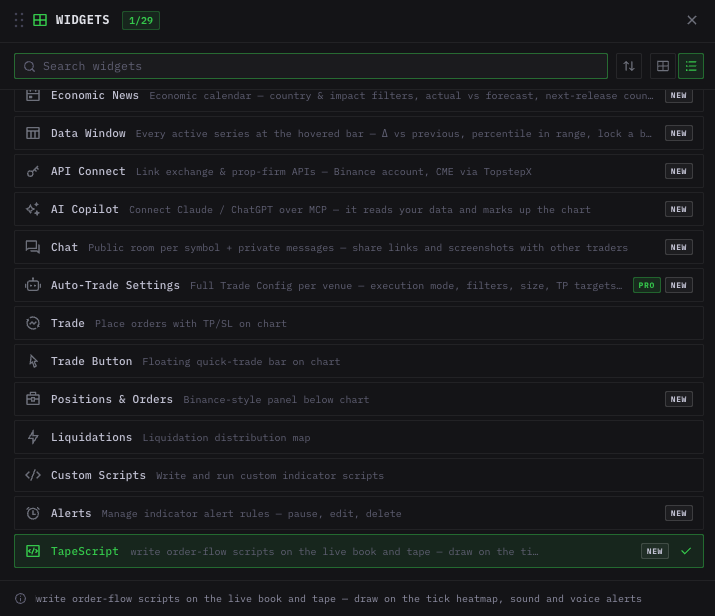
TapeScript in the widget picker. It is listed only when the selected chart is a tick heatmap.
The widget docks next to the chart. Drag the header to float it; drag the bottom-right corner to resize it.
In a tiled workspace, select the tick heatmap cell first. The widget opens in that cell. See Workspaces.
Panel layout
| Area | Contents |
|---|---|
| Scripts | All .tape files in your scripts folder. A dot marks a running script; an antenna icon marks a released script. |
| Samples | Example scripts. Selecting one copies it to your folder. See Sample scripts. |
| Toolbar | New, Save, Run / Stop, Release, Rename, Delete, Open folder. |
| Editor | Code with line numbers. The line of an error is highlighted in red. |
| Console | Output of log(), alerts, and error messages. |
| Inputs | Values declared with // @input. |
| Values | The latest value of each line the script draws. |
| Sound | Alert sounds on/off, voice alerts on/off, volume. |
Run a script
- Click New to create a script from the starter template, or select a sample.
- Click Run or press ⌘/Ctrl + Enter. The script starts on the chart's live data.
- Check the chart for markers and lines, and the Console for output and errors.
- Edit the code and press ⌘/Ctrl + S. A running script restarts with the saved code.
A run started from the widget stops when the widget is closed. To keep a script on the chart, release it as an indicator.
Keyboard shortcuts
| Keys | Action |
|---|---|
| ⌘/Ctrl + S | Save |
| ⌘/Ctrl + Enter | Run |
| Ctrl + Space | Show completions |
| ↑ / ↓ | Move in the completion list |
| Enter or Tab | Insert the selected completion |
| Esc | Close the completion list |
| Tab | Indent |
Hover help and completion
- Hover a built-in name to see its signature and description.
- Type to get completions for built-ins, keywords and names declared in the script.
- After a dot, completions list the members of that object:
book.,input., or a window created withrolling(…). - Selecting a function inserts the name and
(. Selecting a callback such asonTradeon an empty line inserts the full function.
Lines longer than the editor scroll horizontally with the bar under the code or Shift + mouse wheel.
Script files
Scripts are saved as .tape text files in:
Documents/TapeDelta/TapeScript/
Files stay on your computer. You can edit them in another text editor; the widget reloads a file that changed on disk unless it has unsaved edits, and restarts it if it is running.
| Limit | |
|---|---|
| File name | Letters, digits, spaces, _, ., -; up to 64 characters |
| File size | 200 KB |
| Files in the folder | 500 |