Connect Rithmic
Link your Rithmic account to chart CME futures with native footprint, MBO and full L2 depth. The login fields, what you get, and the one-login rule.
This page covers linking a Rithmic account to the terminal. Once linked, you chart CME futures with real bid/ask footprint, MBO, full L2 depth and manual order entry from the chart.
Before you start
| Prerequisite | Why |
|---|---|
| A Rithmic account with a paid CME market data subscription | Demo trials are refused. See Rithmic account requirements. |
| Your broker or prop firm allows the Tape Delta app | A correct password is still refused if the app is not allowed. |
| One successful login to RTrader Pro | It confirms the account works and accepts the exchange agreements. |
| A Tape Delta account, signed in | Connectors are per-user; see Register an account. |
Connect
- Open the chart terminal → Widgets → API Connect.
- Pick the CME group, then the Rithmic row.
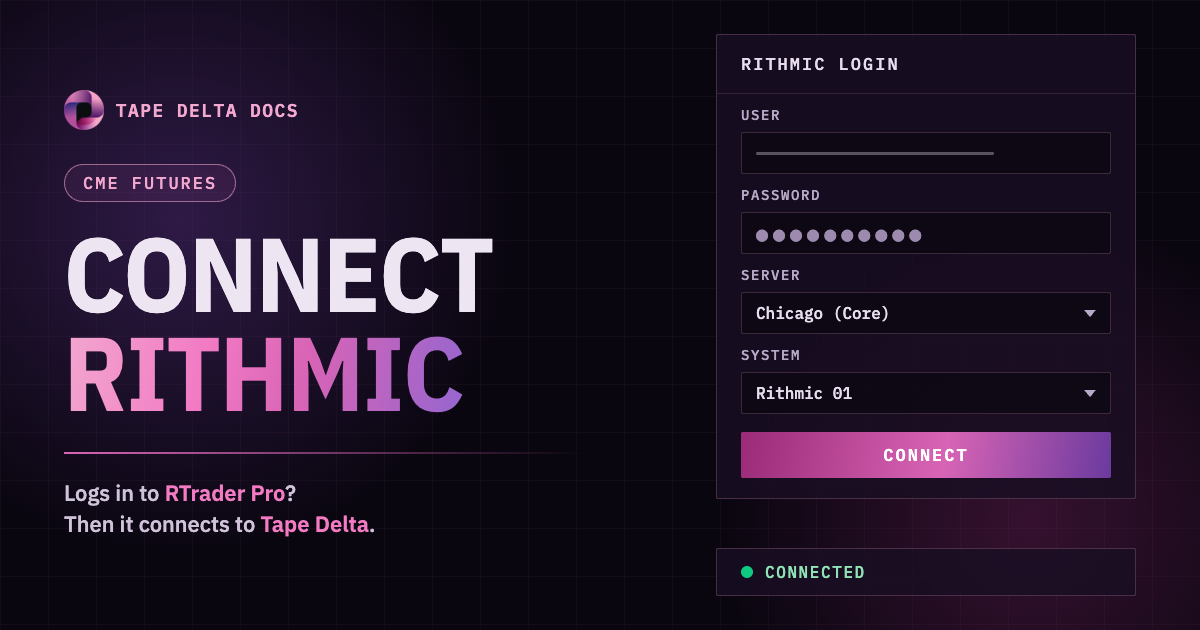
- Fill in the form:
| Field | What to enter |
|---|---|
| User | Your Rithmic user name, exactly as in RTrader Pro. |
| Password | Your Rithmic password. |
| Server | The Rithmic gateway. Pick the one closest to you; Chicago (Core) is the default. |
| System | The list loads from the server you picked. Choose the same system you use in RTrader Pro. Nothing is preselected. |
- Press Connect. The row turns Connected and shows your user name and the FCM.
You can also open the same form from the symbol search: pick the Rithmic venue filter at the bottom of the symbol list and press Connect.
Your password is saved to your Tape Delta account so the terminal reconnects on its own the next time you open it. Disconnect removes it.
What you get
- Symbols: the CME Group board (CME, CBOT, NYMEX, COMEX) in symbol search. Search by root, for example
ES,NQ,CL,GC,ZB. - Chart and history: candles on every timeframe, plus tick and footprint chart types.
- Real order flow: every trade with its aggressor side, so footprint cells show real bid/ask volume.
- Full depth: the full L2 book and MBO in the DOM ladder and the heatmap, on exchanges where your subscription includes Level 2.
- Order entry: manual orders from the DOM ladder, quick trade and the chart trade bar. Automated execution from a server is not offered on CME venues.
What you see depends on your Rithmic subscription. Level 1 only shows the inside market; Level 2 is needed for full depth.
One login at a time
Rithmic limits how many places can use one login at the same time. When you log in to RTrader Pro or another app with the same user, Tape Delta is signed out and shows:
Rithmic signed in elsewhere — reconnect in API Connect
Tape Delta does not reconnect on its own, so it never pushes your other app off. When you want the chart back, press Connect in API Connect. Use Tape Delta in one browser tab at a time.